
Starting from Scratch
Start a new Magento project with the devcontainer when you don't have an existing codebase.
Prerequisites
- Git
- VS Code with the Dev Containers extension
- Docker
Steps
- Clone the starter project from GitHub
git clone git@github.com:graycoreio/magento2-devcontainer-starter.gitAlternative: manual setup without the starter project
If you don't want to use the starter project, you can initialize your store manually (this assumes that you have a unix shell):
mkdir my-magento-store && cd my-magento-store
git init
mkdir -p .devcontainer
git submodule add https://github.com/graycoreio/magento2-devcontainer.git .devcontainer/magento2-devcontainer
.devcontainer/magento2-devcontainer/bin/init.sh- Open in VS Code and click Reopen in Container when prompted.
code magento2-devcontainer-starter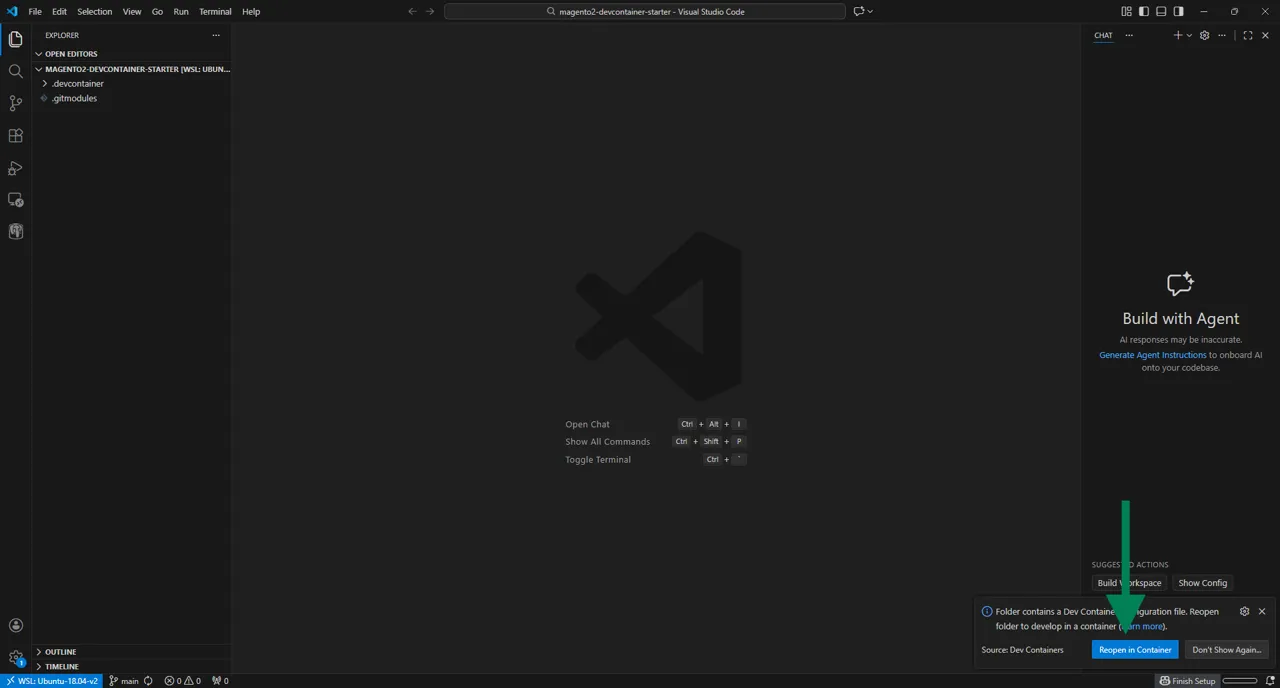
- Create the Magento project inside the container:
composer create-project \
  --repository-url=https://mirror.mage-os.org/ \
  magento/project-community-edition /tmp/magento

cp -r /tmp/magento/. /workspace/
rm -rf /tmp/magento
WARNING
As of Magento 2.4.5, the .gitignore which previously was previously installed natively by Magento is no longer present. You can copy the one from the Magento 2 repository:
curl -o .gitignore https://raw.githubusercontent.com/magento/magento2/2.4-develop/.gitignoreAlternatively, you can use the Magento Cloud .gitignore or define your own.
DANGER
Do not commit vendor to source control (with the exception of vendor/.htaccess).
- Create your own repo on Github and follow the instructions to push your project.
# Since this was a clone of the existing starter repo, you can safely remove the
# The now irrelevant .git of the devcontainer-starter and start afresh
rm -rf .git
git init
git add .
git rm --cached .devcontainer/magento2-devcontainer -r
rm -rf .devcontainer/magento2-devcontainer
git submodule add https://github.com/graycoreio/magento2-devcontainer.git .devcontainer/magento2-devcontainer

git commit -m "chore: init Magento project"
git branch -M main

# (!) Adjust this line based upon your Github project's information
git remote add origin ...
git push- Run setup:
.devcontainer/magento2-devcontainer/bin/setup-install.sh | bash- Reload the nginx service:
docker exec magento2-devcontainer-nginx-1 nginx -s reload- Verify the installation:
bin/magento --version- View the app in your browser
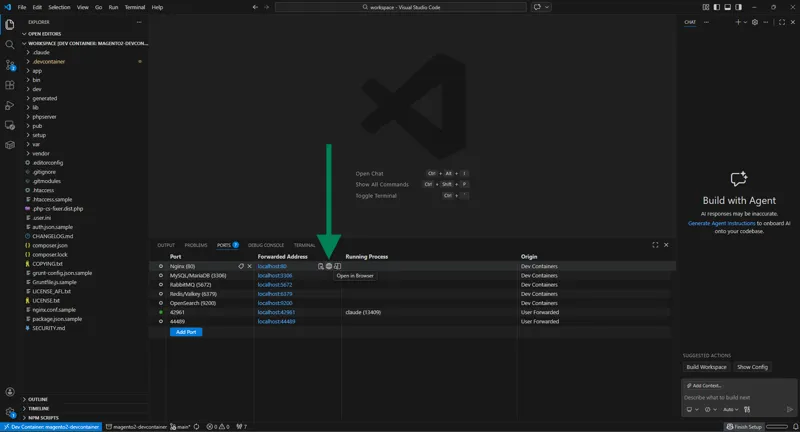
Navigate to the Ports tab in VS Code and click Open in Browser on the Nginx port.
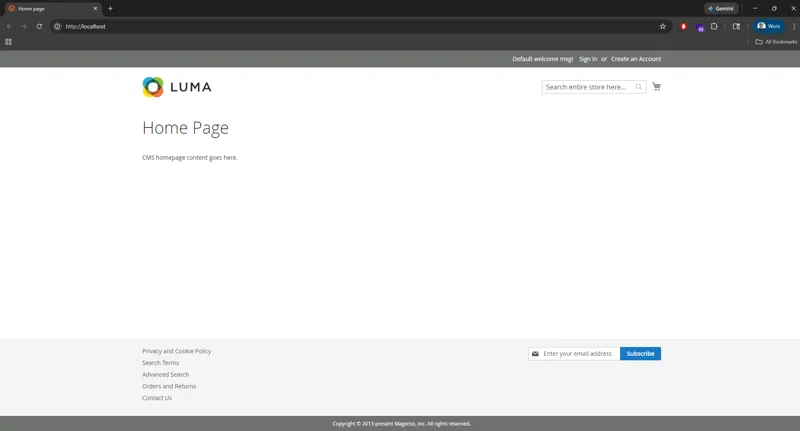
You should see the default Magento Luma homepage.
- Cleanup resources for the environment
INFO
This is only necessary if you never plan to use the devcontainer again. To return to the environment later, simply close VS Code and reopen the devcontainer to start where you left off.
DANGER
This is destructive. Please run these commands carefully.
## List the relevant containers for review
docker ps -a --format '{{.ID}} {{.Names}}' \
| awk '$2 ~ /^magento2-devcontainer-/'

## Stop and remove those containers
docker ps -a --format '{{.ID}} {{.Names}}' \
| awk '$2 ~ /^magento2-devcontainer-/ {print $1}' \
| xargs -r docker rm -f

## List the relevant volumes for review.
docker volume ls --format '{{.Name}}' \
| awk '/^magento2-devcontainer_/'

# Stop and remove the created volumes
docker volume ls --format '{{.Name}}' \
| awk '/^magento2-devcontainer_/' \
| xargs -r docker volume rm
Next Steps
- Docker Compose Configuration - Customize your environment
- TLS Setup - Enable HTTPS for local development